Change line settings
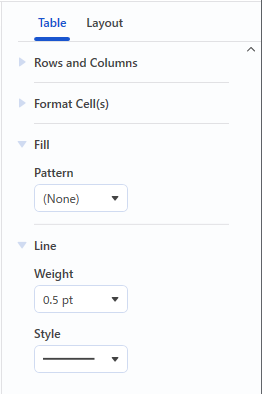
Changing the line style
- Click the object you wish to change.
- Click the [Table] tab in the settings pane.
- Select an option from the “Style” drop-down list in the “Line” group.
Changing the line thickness
- Click the object you wish to change.
- Click the [Table] tab in the object settings pane.
- Select an option from the “Weight” drop-down list in the “Line” group.
Filling
- Click the object you wish to change.
- Click the [Table] tab in the object settings pane.
- Select an option from the “Pattern” drop-down list in the “Fill” group.
Filling in a cell
- Click the cell you wish to change.
- Click the [Table] tab in the object settings pane.
- Select an option from the “Pattern” drop-down list in the “Fill” group.