Add a New Database#
To create a new Database, follow these steps:
1. Click the [Database] button on the tool bar.
2. Click the popup menu, and then click [New...] to launch the Database Editor.
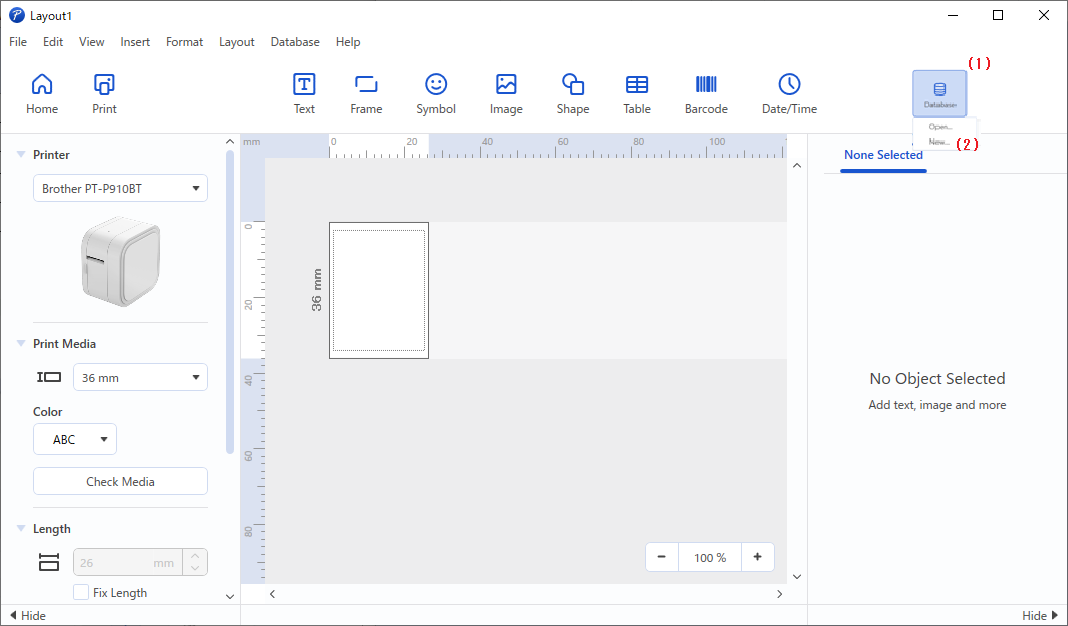
(1) [Database] button
(2) [New...] option
To create a new Database, follow these steps:
1. Click the [Database] button on the tool bar.
2. Click the popup menu, and then click [New...] to launch the Database Editor.
(1) [Database] button
(2) [New...] option