Create Link Object#
How to create an object link.
- Click the object in the layout to be used as a parent object.
- Right-click the object and select [Link Object] option. Select [Create], and then select the object type.
Example:
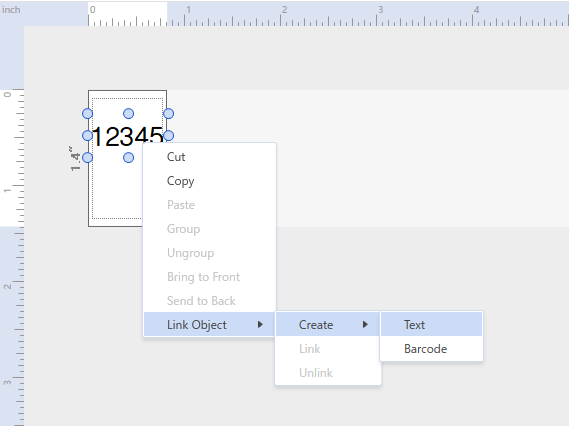
- Create a single child object.

- To create multiple child objects, right-click the child object, click [Edit], and then click Copy/Paste.
Note
- The red number icon is the parent object, and the blue number icon is the child object.
- Only parent objects can be fully edited.
- On child objects, the text of child text objects or the data of child barcode objects cannot be edited.
- Parent objects can be assigned to database fields.
- You can create objects from the [Format] menu by clicking on the [Link Object] option and selecting [Create].