Connect a Database (External Data) - Barcode#
- Click a cell to select it.
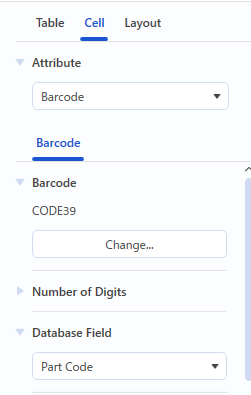
- Click the [Cells] tab in the object settings pane.
- Select “Barcode” from the “Attribute” list.
- Refer to the procedure in Linking Barcodes to connect the database.
Note
This can also be done by selecting the field to merge from the “Database Field” list of the [Cells] tab.